Some Simple Optimizations in Unreal Engine
Views: loading
When it boils down to it you should profile things before optimizing however, these things can be added without the need to profile.
- TArray.Reserve(size)
- This will reserve memory for the array in advance. Do this before modifying an array to prevent allocations in a loop etc. When adding elements to a container in a loop, performances can be impacted because of multiple heap allocations to resize the container.
- Also, do this on temporary allocations. (if you allocate an array in a method and then return that array later or need to do something specific to the results)
// Adds N copies of a character to the end of an array.
void AppendCharacterCopies(char CharToCopy, int32 N, TArray<char>& Result)
{
    if (N > 0)
    {
        Result.Reserve(Result.Num() + N);
        for (int32 Index=0; Index < N; Index++)
        {
            Result.Add(CharToCopy);
        }
    }
}

void AppendCharacterCopies(char CharToCopy, int32 N)
{
    if (N > 0)
    {
        TArray<char> Result;
        Result.Reserve(N);
        for (int32 Index = 0; Index < N; Index++)
        {
            Result.Add(CharToCopy);
        }

        // do something with Result
    }
}
TArray.Emplace(type)
- By using Emplace over Add you don’t create a copy of the type. Really only use emplace on types larger than 8 bytes or rather don’t use it on things like ints.
Add(orPush) will copy (or move) an instance of the element type into the array.Emplacewill use the arguments you give it to construct a new instance of the element type.
Range-based for loops
- By using range-based for loops you can drop an allocation from the
int32 i = 0; ...and it also makes your code a bit cleaner.
- By using range-based for loops you can drop an allocation from the
for (const auto& Elem : MyContainer)
{
    // TArray - Elem
    // TMap - Elem.Key/Elem.Value
}
Pass by reference
- Passing by reference you don’t copy said member which doesn’t do another allocation of the type.
- Don’t pass normal types (int/float/bool) by reference as that actually can
slow down performance.
Smaller types
- Use smaller types like uint8 or uint16 when possible. Sure, uint16 isn’t exposed to Blueprint, so that really limits you however, you may not need to expose that to BP.
- Keep in mind that FString is 16 bytes, FName is 10 bytes, FText is 40 bytes, and uint8 is 1 byte.
- I only pass by value if the type is > 8 bytes. TypeKindMin/Max ValuesSizeExposed to BPint8/uint88 bit signed/unsigned integer-128 to 128 - 0 to 2551 bytefalse/trueint16/uint1616 bit signed/unsigned integer-32,768 to 32,768 / 0 to 65,5352 bytesfalse/falseint3232 bit signed integer-2,147,483,648 to 2,147,483,6474 bytestrueuint3232 bit unsigned integer 0 to 4,294,967,2954 bytesfalseint6464 bit signed integer-9,223,372,036,854,775,808 to 9,223,372,036,854,775,8078 bytestrueuint6464 bit unsigned integer0 to 18,446,744,073,709,551,6158 bytesfalse
Tick
- Disable tick on actors that don’t need ticking.
- Add
PrimaryActorTick.bCanEverTick = false;to the constructor of the Actor class. - Tick is much more performance in C++ than in BP, but you still shouldn’t tick actors that don’t need ticking.
UMG
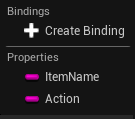
- Avoid using the bindings as they’re essentially Tick with a pretty name. Instead, use delegates to update and maintain your UI.
- Avoid using the bindings as they’re essentially Tick with a pretty name. Instead, use delegates to update and maintain your UI.
until next time